


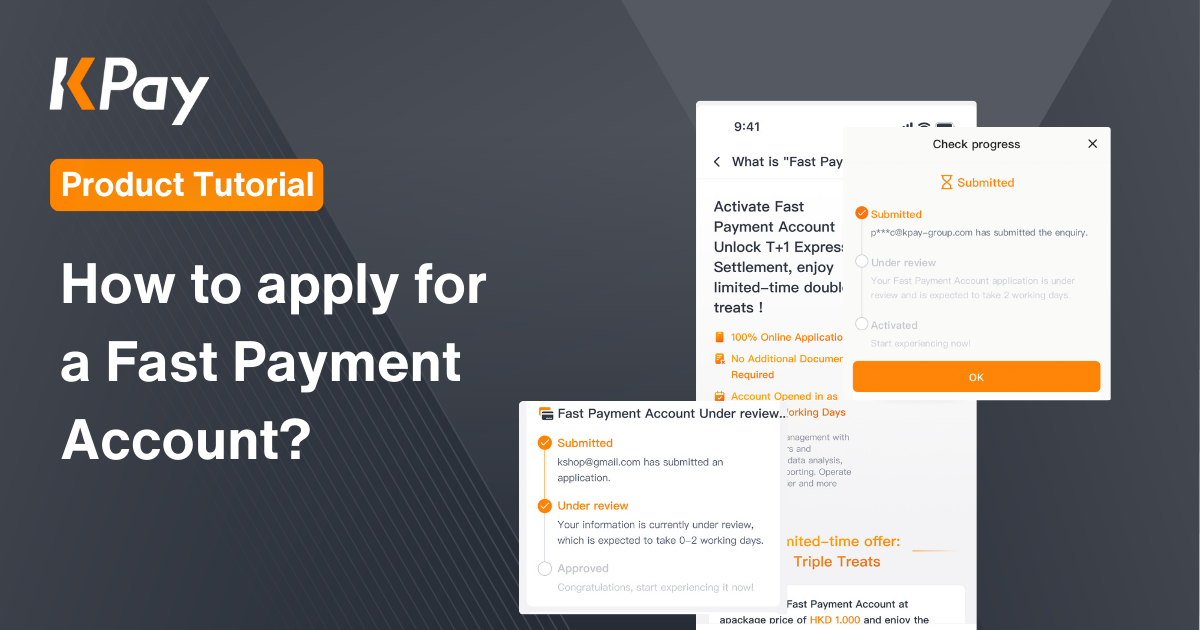
What is a KPay Business Account?
The KPay Business Account is designed for merchants of all sizes, offering a simple, fast, and fully online application process to reduce challenges during account setup. The account comes with features like T+1 settlement, local transfer and global remittance, streamlined payout processes and management, intelligent financial data analysis, and automated reporting—providing you with a comprehensive financial management experience.
Benefits of a KPay Business Account for Merchants
- No need to resubmit documents
- The account can be activated in as fast as two business days.
- Upgrade to T+1 express settlement.
- One-stop payout process and management to enhance billing efficiency.
- 24x7 access to KPay Business Account for instant local transfers.
- Supports multiple currencies and remittances to 14 countries and regions.
- In-depth financial data analysis with downloadable reports at any time.
How can Existing KPay Merchants Activate the KPay Business Account?
For existing KPay merchants
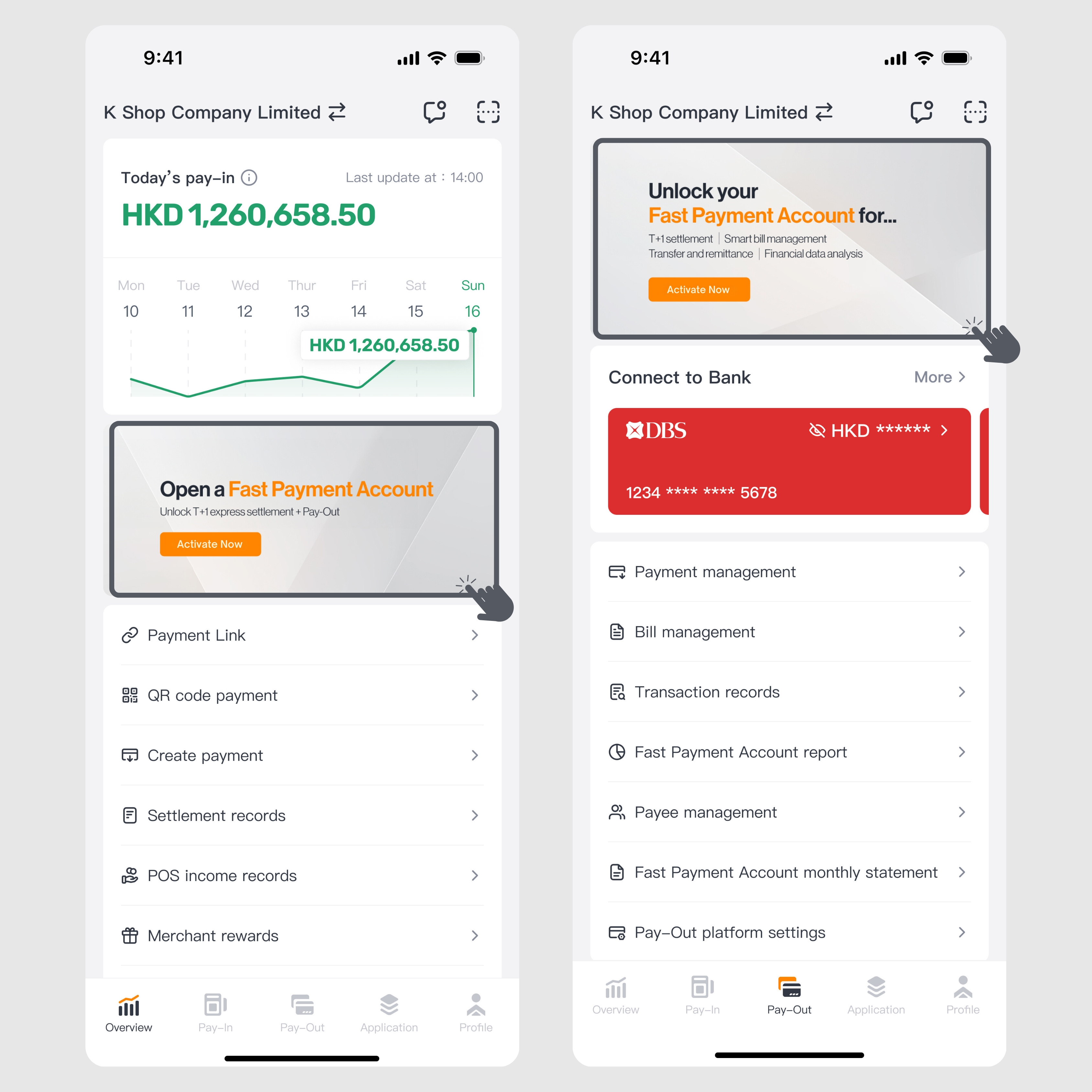
Step 1: Log into the KPay App and click the KPay Business Account application banner on the "Overview" or "Pay-Out" page.
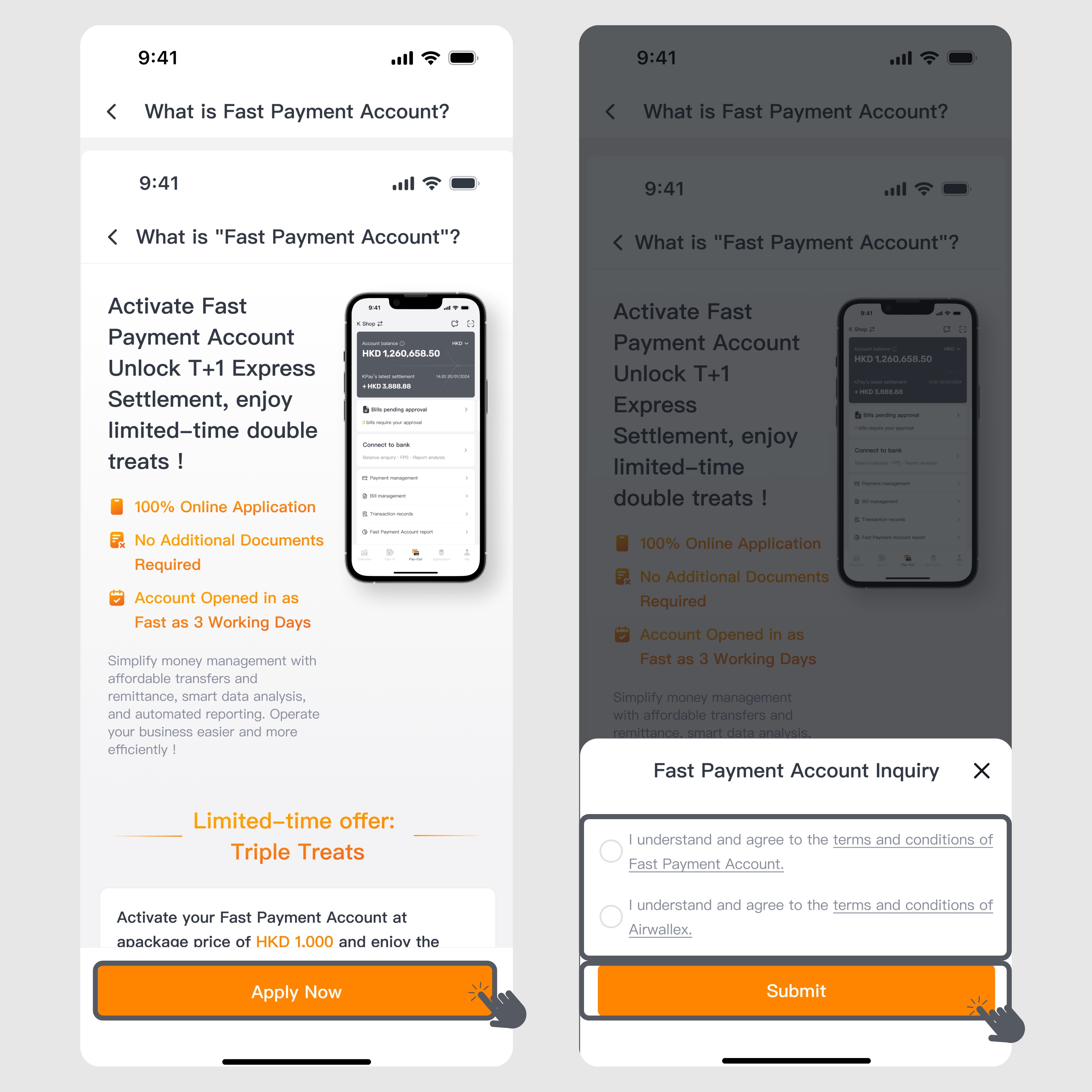
Step 2: Carefully review the "What is KPay Business Account" introduction page and related terms and conditions, then click "Submit."
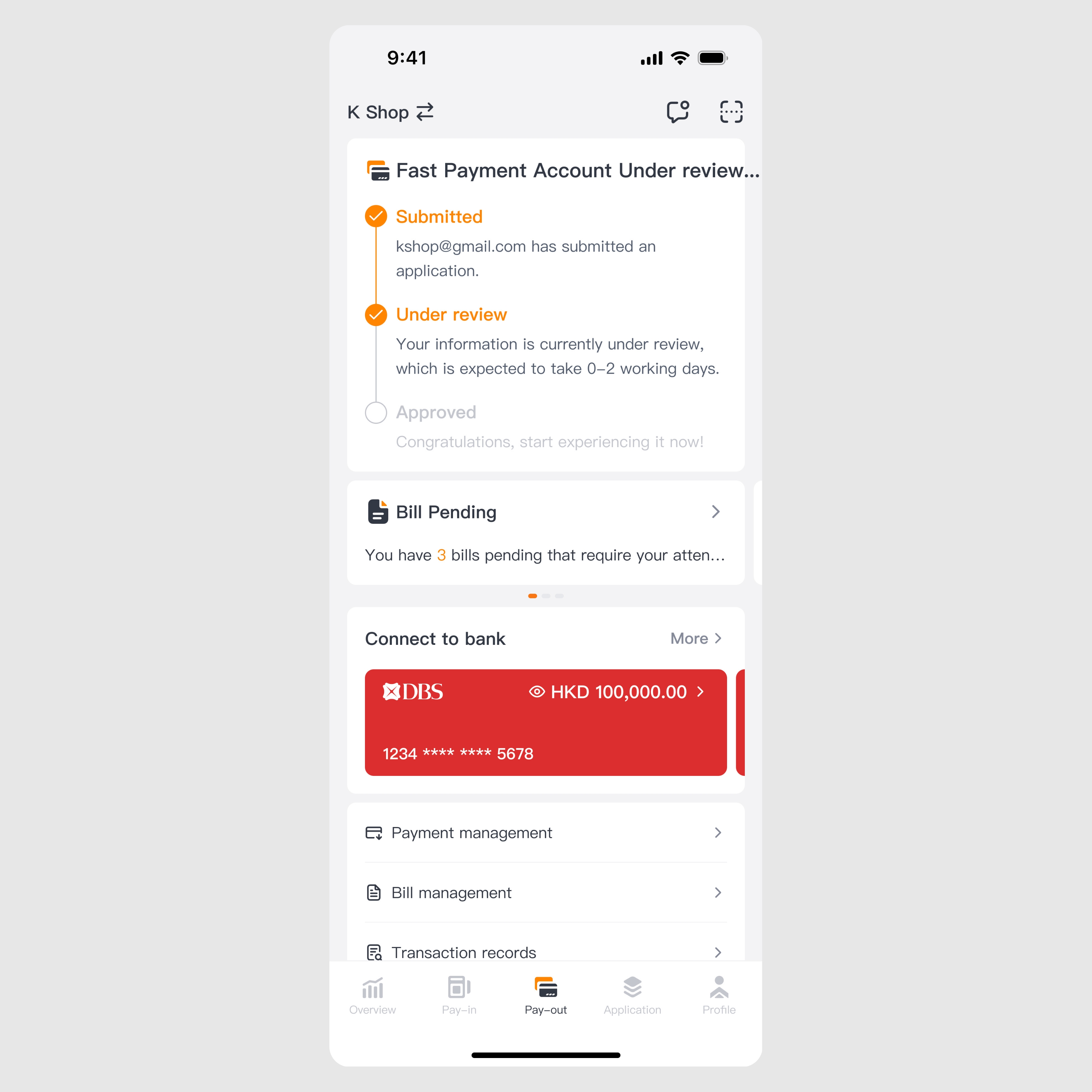
Step 3: After successfully submitting your application, you can track the progress on the "Overview" or "Payment" page in the KPay App. Our customer service team will contact you shortly to confirm the application details, finalize the contract, and collect the payment.
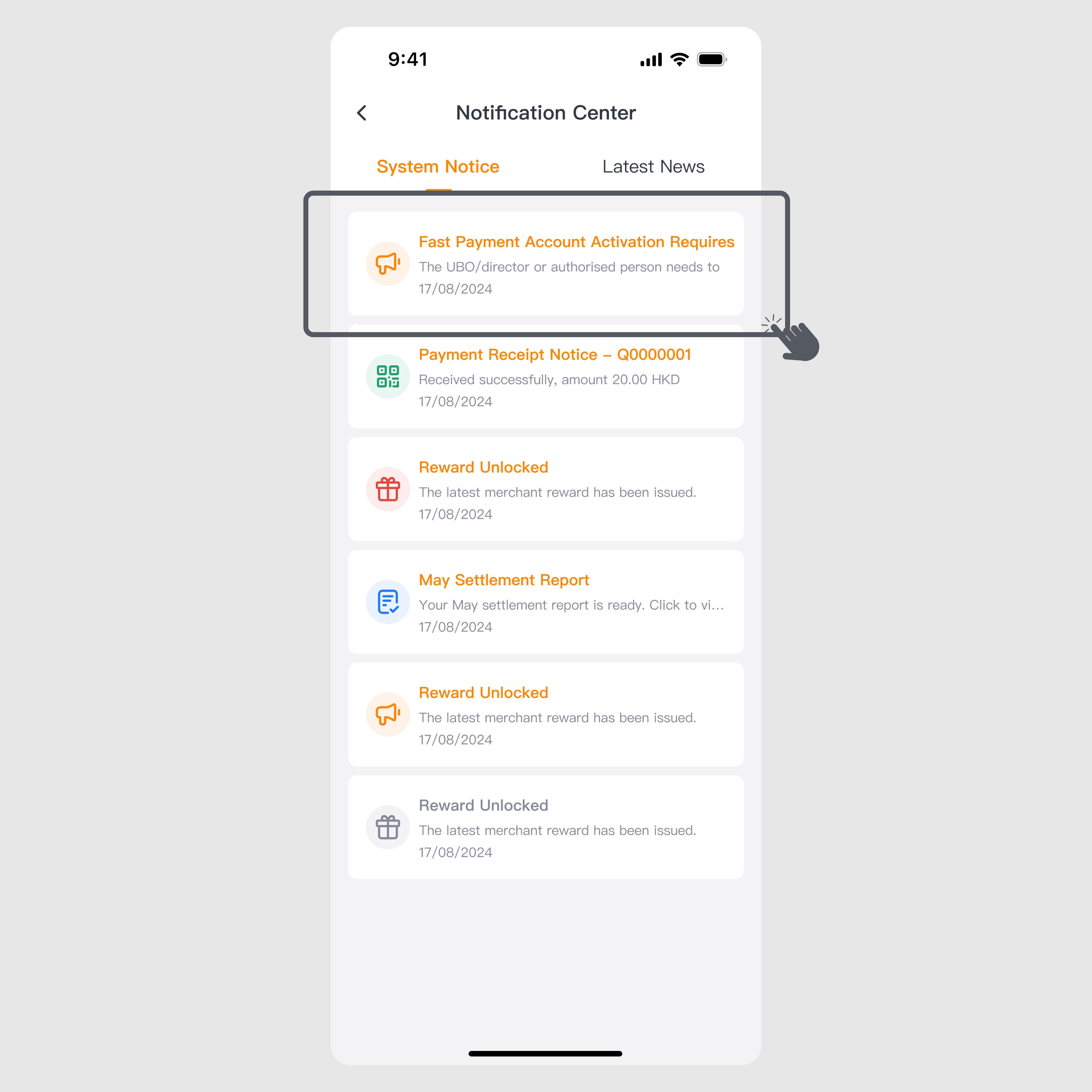
Step 4: Upon completing the contract and payment, you will receive a system notification prompting you to complete identity verification. Click the notification to go to the "Identity Verification" page and proceed.
Step 5: After submitting your identity verification, the account will be activated as soon as two business days after approval.
How can New Merchants Activate the KPay Business Account?
For new merchants (New merchants must activate payment services before applying for a KPay Business Account)
Step 1: Click here to fill out the inquiry form to apply for both KPay payment services and the KPay Business Account. We will contact you shortly.
Step 2: Our customer service team will arrange the contract, payment collection, and identity verification procedures for you.
Step 3: After submitting your identity verification and passing the approval of the Smart POS Terminal, the account can be activated in as fast as 2 to 3 business days.
Once the application is approved, new merchants will receive an email notification confirming the account activation. Your KPay App will also automatically update and display the KPay Business Account details.
How to Check Account Activation Progress
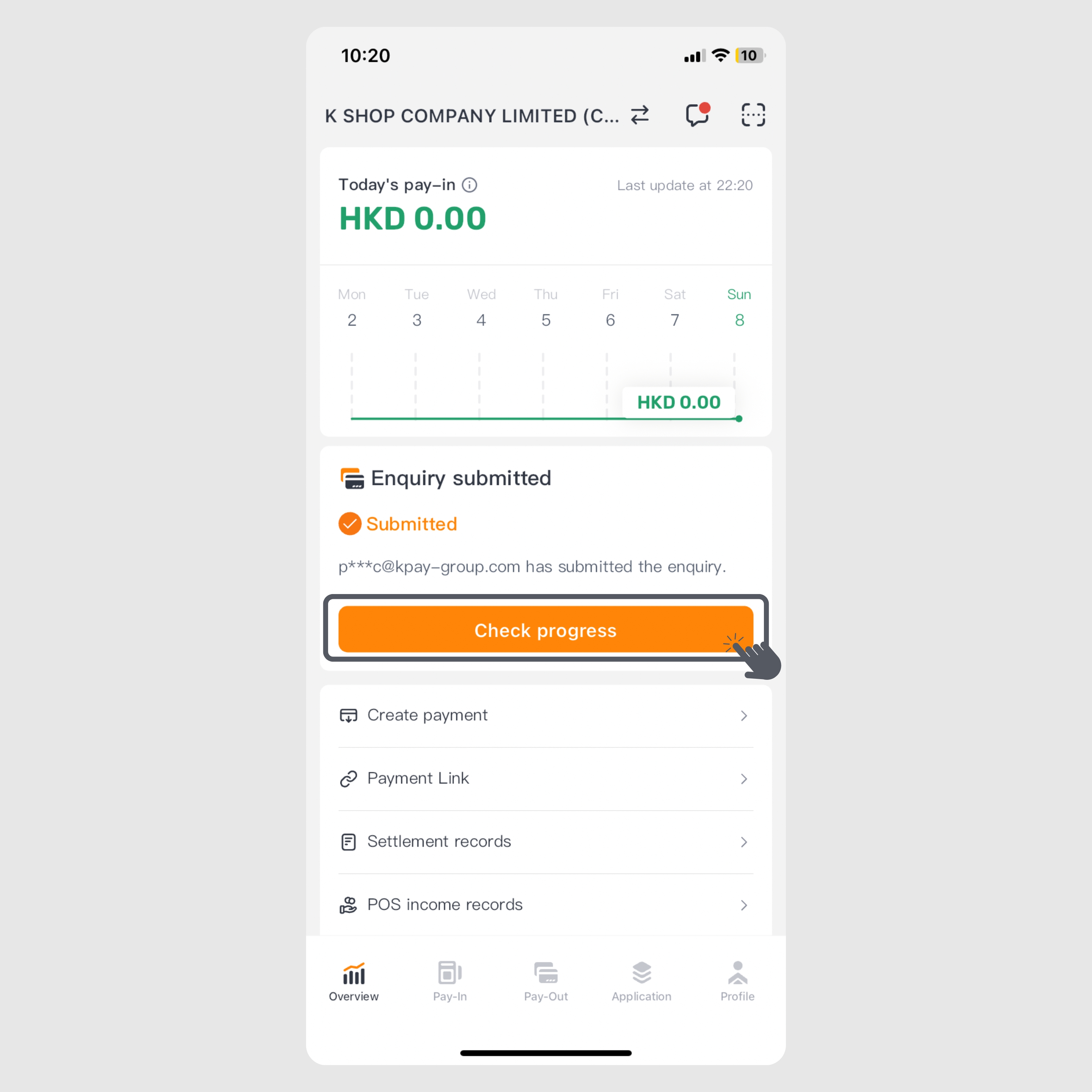 Step 1: Log into the KPay App
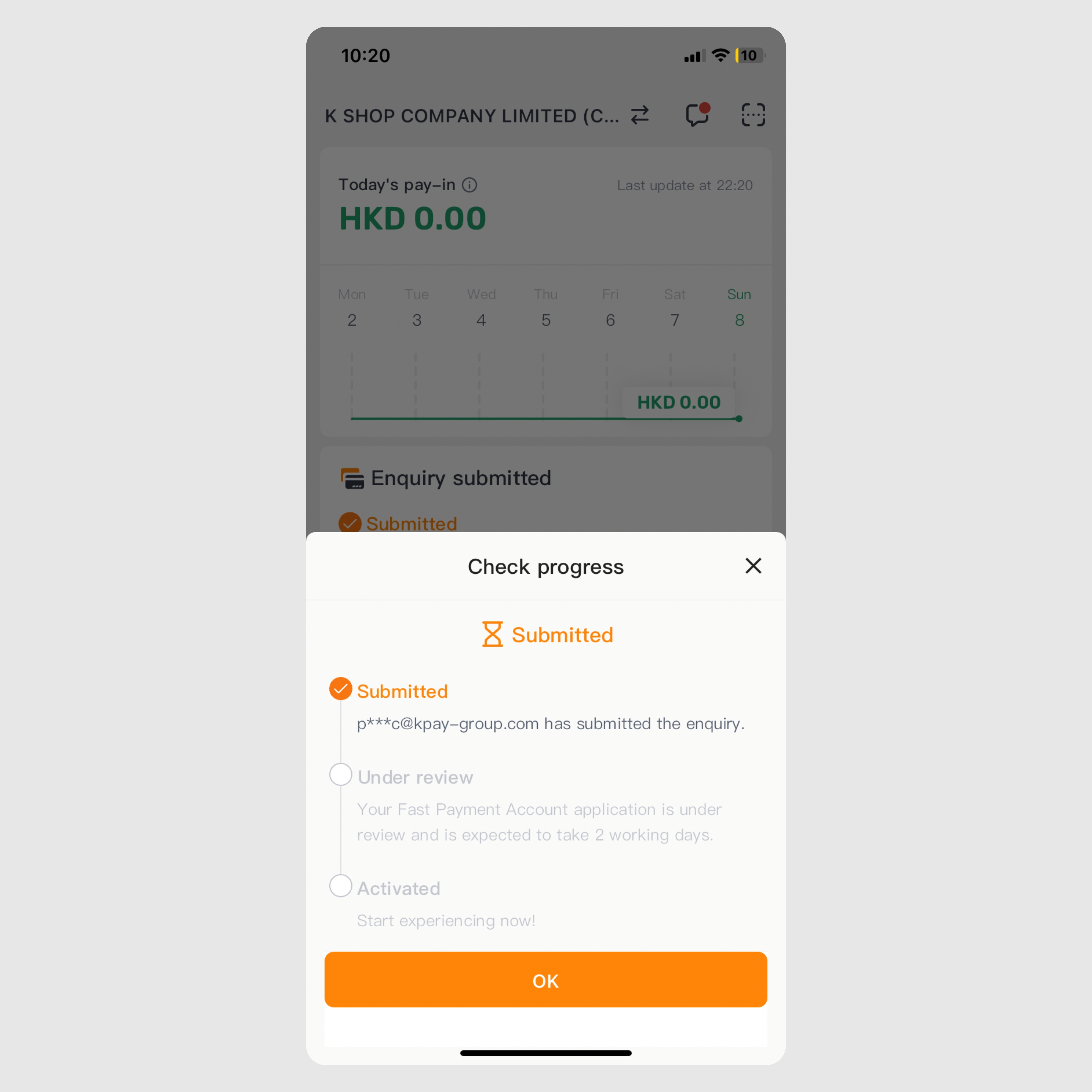
Step 2: Click to view the progress on the "Overview" or "Pay-Out" page.
If you have any questions regarding your KPay Business Account application, feel free to contact us during office hours (Monday to Sunday, 10 AM - 10 PM) at 3706 7828. Our customer service team will assist you promptly.